> For the complete documentation index, see [llms.txt](https://docs.atlas.design/llms.txt). Markdown versions of documentation pages are available by appending `.md` to page URLs; this page is available as [Markdown](https://docs.atlas.design/atlas-ai-studio-overview/release-notes/release-0.36.0.md).
# Release 0.36.0
Release Date: September 2026
Previous Version: v0.35.0
Create expressive Gemini dialogue, identify and extract numbered mesh parts, and carry Tripo assets through retopology, texturing, and FBX export. This release brings together new features since 0.35.0, including the intervening 0.35.1 and 0.35.2 releases. Available models and controls depend on your account's access and the node you use.
## Gemini speech and dialogue
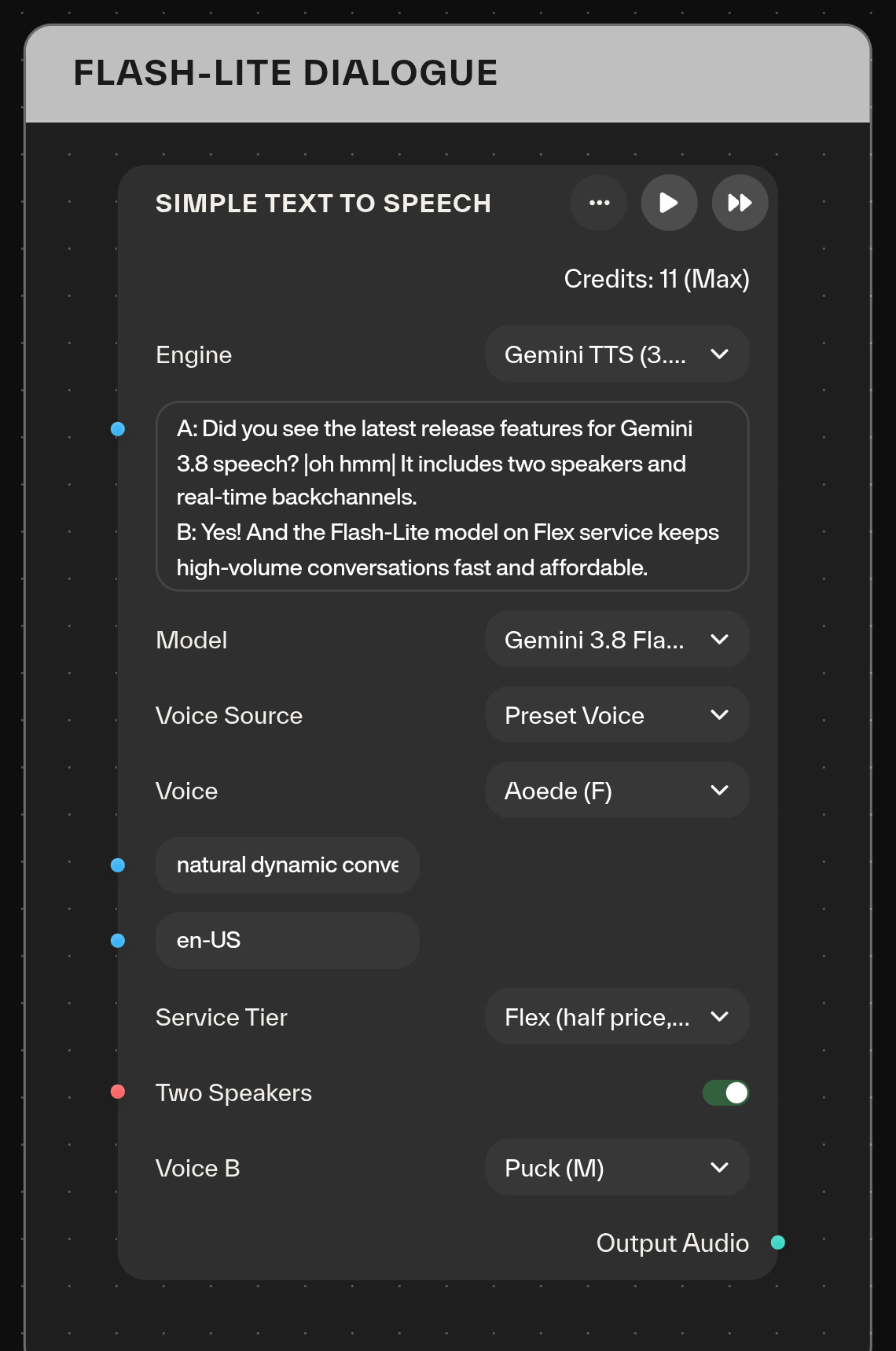
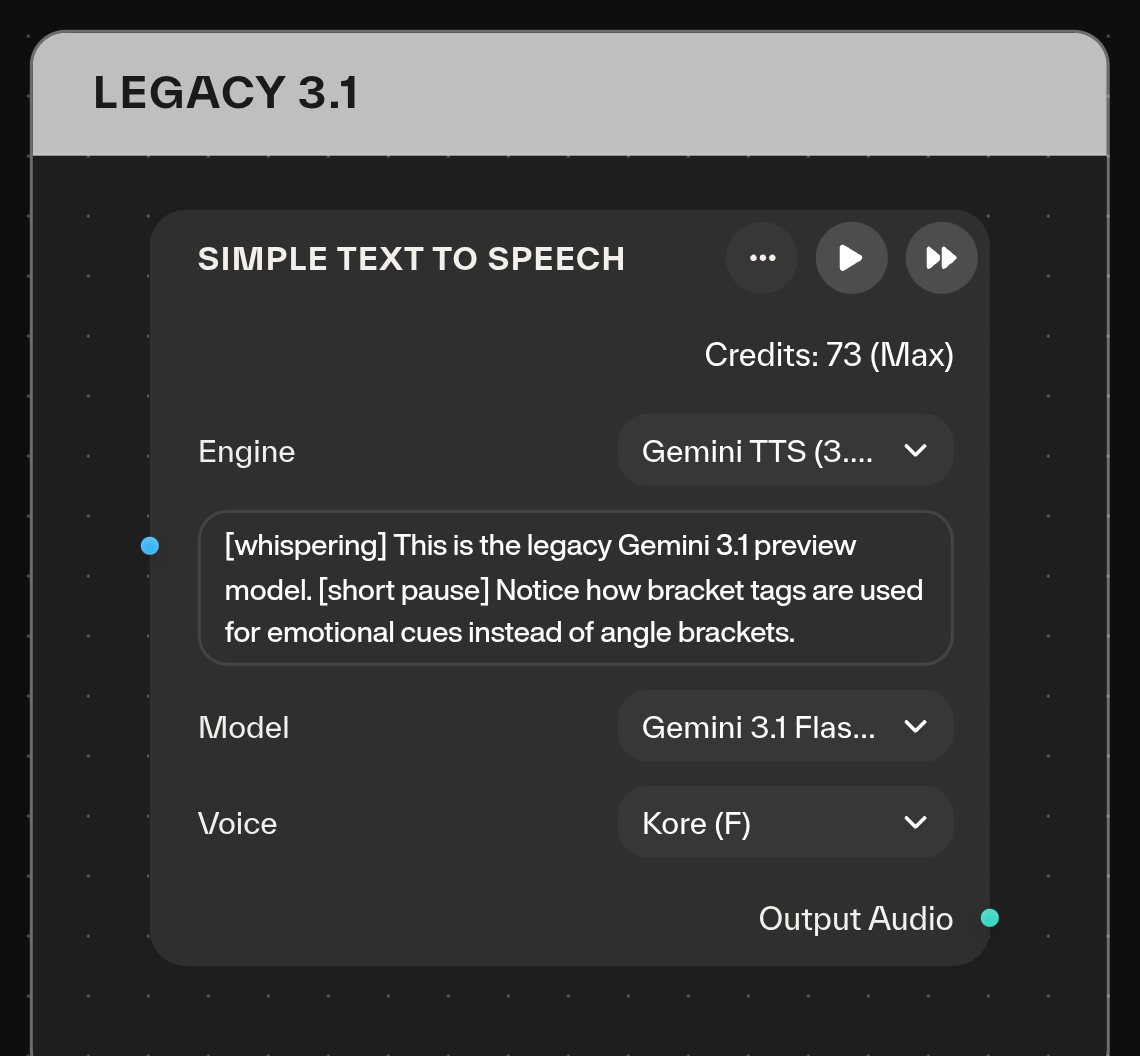
* **Choose Gemini 3.8 Flash or Flash-Lite.** **Simple Text to Speech** adds both models alongside **Gemini 3.1 Flash TTS**, retained as a legacy option. New Gemini speech nodes default to 3.8 Flash.
* **Choose how to supply a voice.** Use a preset, enter a **Custom Voice ID**, or choose **Reference Audio** to replicate a voice you have permission to use. Reference-based generation requires both the reference recording and **Consent Audio** from the same speaker. The node creates the replicated voice for each run; it does not save a reusable voice.
* **Create two-speaker dialogue.** Enable **Two Speakers**, choose different voices for A and B, and prefix each dialogue line with `A:` or `B:`. Inline listener reactions such as `|oh hmm|` add conversational responses. Two-speaker mode is available for preset/custom voice selection, not reference-audio replication.
* **Direct delivery separately from the script.** Put sustained instructions such as “warm, enthusiastic storytelling” in **Style**. Set an optional **Language** tag, such as `en-US`, or leave it empty for detection from the text. Choose **Standard**, **Flex**, or **Priority** with **Service Tier**.
* **Prepare text for Gemini 3.8 with Add Audio Tags.** Its new Gemini 3.8 target adds angle-bracket vocal events and pauses, such as `` and ``, plus dialogue reactions. The legacy Gemini 3.1 target remains available.
**Existing workflows:** saved Gemini speech nodes retain Gemini 3.1. When switching to 3.8, review the script's tags and move sustained delivery instructions into **Style**.
## Tripo retopology and numbered mesh parts
* **Retopologize with Optimize Mesh.** Select **Tripo Retopology**, then choose **Smart (v2)** or **Basic (v1)**, triangle or quad topology, and a target face count. Smart mode also offers adaptive reduction and optional texture baking. Quad results include an **FBX download** alongside the workflow's GLB mesh.
* **Find parts with the new Segment Mesh node.** Choose **Tripo v2 Semantic (Beta)** or **v1 Geometry**. Semantic mode accepts a reference color mask, or uses **Granularity** and **Split By Connectivity** controls. The node returns **Segmented Mesh**, **Segmentation**, and **Part Count**.
* **Match numbers to geometry in the viewer.** Segmented meshes open in **Part Colors** view with floating part numbers. Hover a named part to see its label, then use its number when selecting geometry downstream.
{% embed url="" %}
* **Keep or remove the parts you want.** In **Separate Object Parts**, choose **Tripo Segmented Parts** and connect the **Segmentation** output from **Segment Mesh**. Include selected part numbers, exclude unwanted numbers, or choose **Describe Parts** and describe the geometry in natural language. The selected parts are returned as separate objects within one mesh.
* **Choose how extracted surfaces are handled.** **Extract Only**, the default, reuses segmented geometry. **AI Completion** generates missing geometry; **Quick Cap** closes cut surfaces. Completion modes are optional paid operations.
**Part numbers belong to a segmentation run.** Re-running **Segment Mesh** can assign different numbers. Keep downstream selections connected to the matching **Segmentation** output and review the numbers after a new run.
## Tripo textures and generation controls
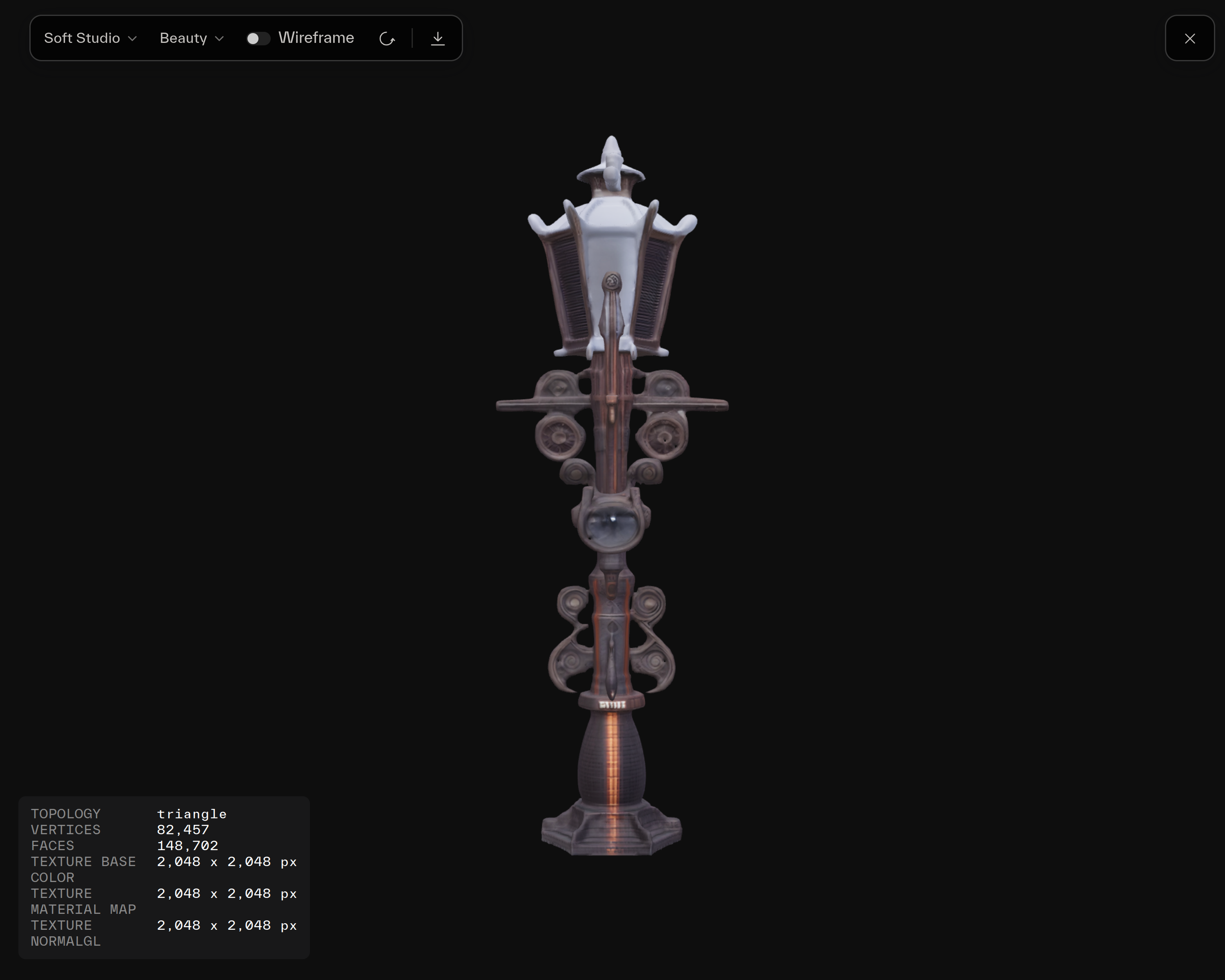
* **Texture with Tripo 3.5 or Tripo 3.5 Fast.** Both choices are available in **Texture Mesh**. Supported Tripo versions also expose **Bake Materials** and **Compress Geometry**.
* **Control textures during 3D generation.** Applicable Tripo **Image to 3D** and **Multiview to 3D** modes gain a **Texture Model** selector with 3.0 and 3.5 choices. Version 3.5 adds **Fast**, **Standard**, and **Detailed** controls, plus **De-light** to remove lighting from reference images.
* **Combine a texture prompt with a style image.** **Tripo Texture Mesh** now uses your text prompt together with one style-reference image. For example, pair a material reference with “painted blue metal with worn copper edges.” When a prompt and multiple images are supplied, the first connected image is used as the style reference, and the node reports that choice.
**Image-only texturing:** provide one image or all four views in **front, left, back, right** order. Sets of two or three images now return an actionable validation message. Prompt-plus-image texturing uses the style-reference behavior above.
## Animated FBX and API outputs
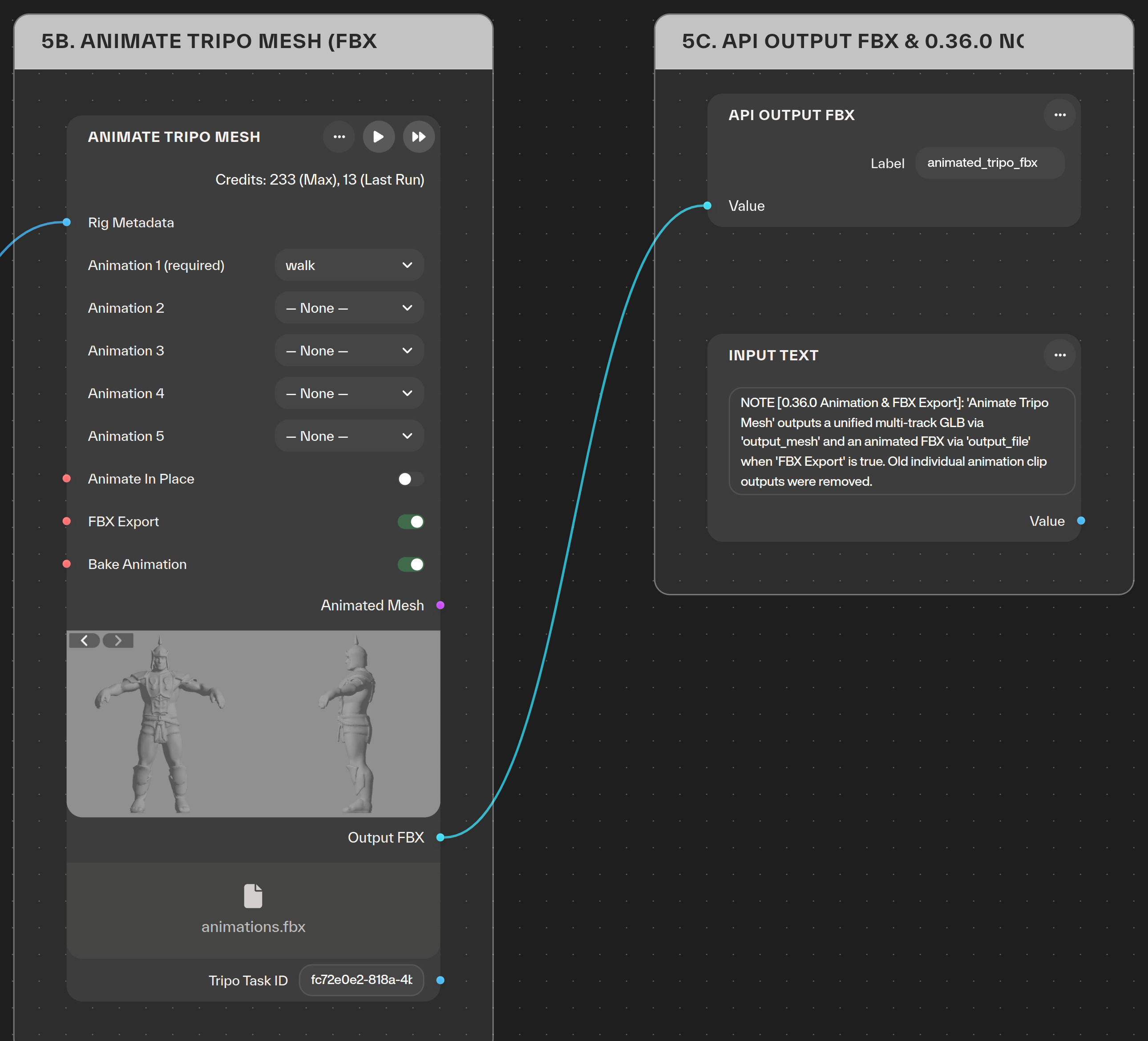
* **Download Tripo animation as FBX.** **Animate Tripo Mesh** adds **FBX Export** while retaining the animated GLB preview.
* **Return FBX from workflow APIs.** Connect the exported file to the new **API Output FBX** node to return FBX from an exported workflow. Atlas's file handling now recognizes FBX outputs.
**Reconnect older animation workflows:** the separate Tripo outputs `output_animation_1` through `output_animation_5` are removed. Use the combined **`output_mesh`** and optional FBX **`output_file`**. Migration removes connections from the old ports and clears affected downstream inputs. Reconnect those inputs and republish any APIs that depend on them. The combined GLB result is retained.
## On-demand usage invoices
* **See on-demand usage on a separate period-end invoice.** Stripe-billed workspaces receive a separate invoice for recorded on-demand usage at renewal, including a final invoice when a paid subscription ends. Recorded usage carried into a new subscription is retained for its first period-end invoice.
* **Recognize invoiced usage in transaction history.** The new **invoiced** label identifies usage moved onto an invoice.
---
# Agent Instructions
This documentation is published with GitBook. GitBook is the documentation platform designed so that both humans and AI agents can read, navigate, and reason over technical content effectively. Learn more at gitbook.com.
## Querying This Documentation
If you need additional information that is not directly available in this page, you can query the documentation by asking a question.
Perform an HTTP GET request on the following URL with the `ask` and `goal` query parameters:
```
GET https://docs.atlas.design/atlas-ai-studio-overview/release-notes/release-0.36.0.md?ask=&goal=
```
`ask` is the immediate question: it should be specific, self-contained, and written in natural language.
`goal` is what the user is ultimately trying to achieve, the reason they need the answer. Sharing it helps GitBook give you a better, more relevant answer. A goal is most helpful when it describes the outcome the user wants rather than restating the question. For example, with `ask=how do I create an API token`, a goal like `automate deployments from our CI pipeline` lets GitBook tailor the answer to that use case.
The response will contain a direct answer to the question and relevant excerpts and sources from the documentation.
Use this mechanism when the answer is not explicitly present in the current page, you need clarification or additional context, or you want to retrieve related documentation sections.





.png?alt=media&token=f6e5c596-24e4-443b-9018-8a20a68b857c)
 * **Control textures during 3D generation.** Applicable Tripo **Image to 3D** and **Multiview to 3D** modes gain a **Texture Model** selector with 3.0 and 3.5 choices. Version 3.5 adds **Fast**, **Standard**, and **Detailed** controls, plus **De-light** to remove lighting from reference images.