> For the complete documentation index, see [llms.txt](https://docs.atlas.design/llms.txt). Markdown versions of documentation pages are available by appending `.md` to page URLs; this page is available as [Markdown](https://docs.atlas.design/atlas-ai-studio-overview/node-index/mesh-nodes/scene-nodes.md).
# Scene Nodes
### Blender Agent
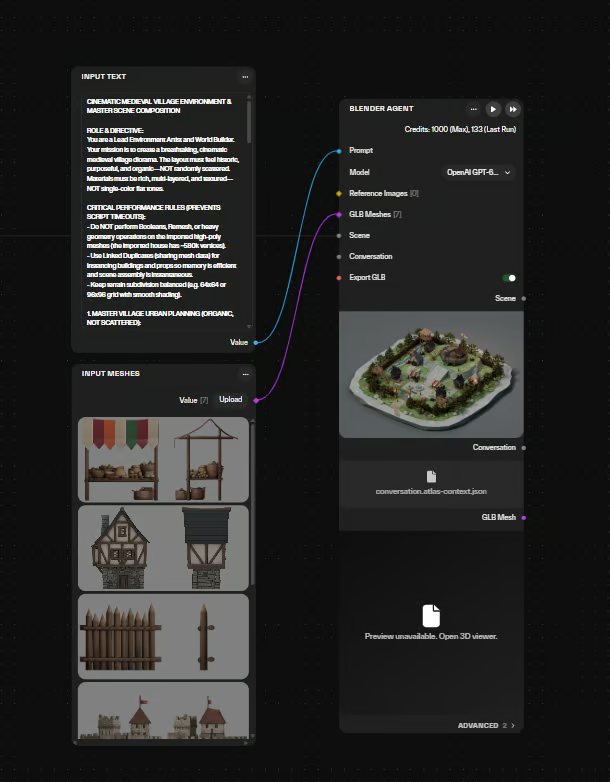
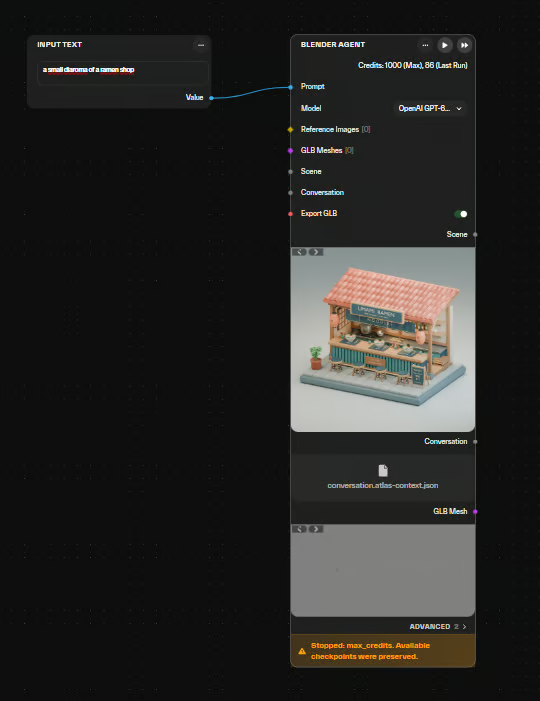
The **Blender Agent** node drives a Blender scene from a conversational prompt, letting the workflow direct Blender operations instead of requiring manual scene setup.
* Takes a **text prompt** describing the desired scene, objects, or operations.
* Translates the prompt into **Blender operations**, building and modifying the scene automatically.
* Outputs a **rendered image** produced from the scene it configures.
* Removes the need for manual object placement, camera setup, or lighting configuration.
* Suitable for iterative prototyping where scene descriptions can be adjusted through prompt changes.
**Useful for:** prototyping 3D scene layouts, generating rendered backdrops for cutscenes, and producing quick environment or prop mockups from text descriptions.
**Examples:**
* Accepts multiple input sources for scene creation and editing: a text prompt, an existing `.blend` scene, a saved conversation, or a combination of these.
* Accepts up to 16 GLB meshes and up to six reference images as inputs.
* Uses a selectable vision-capable agent model.
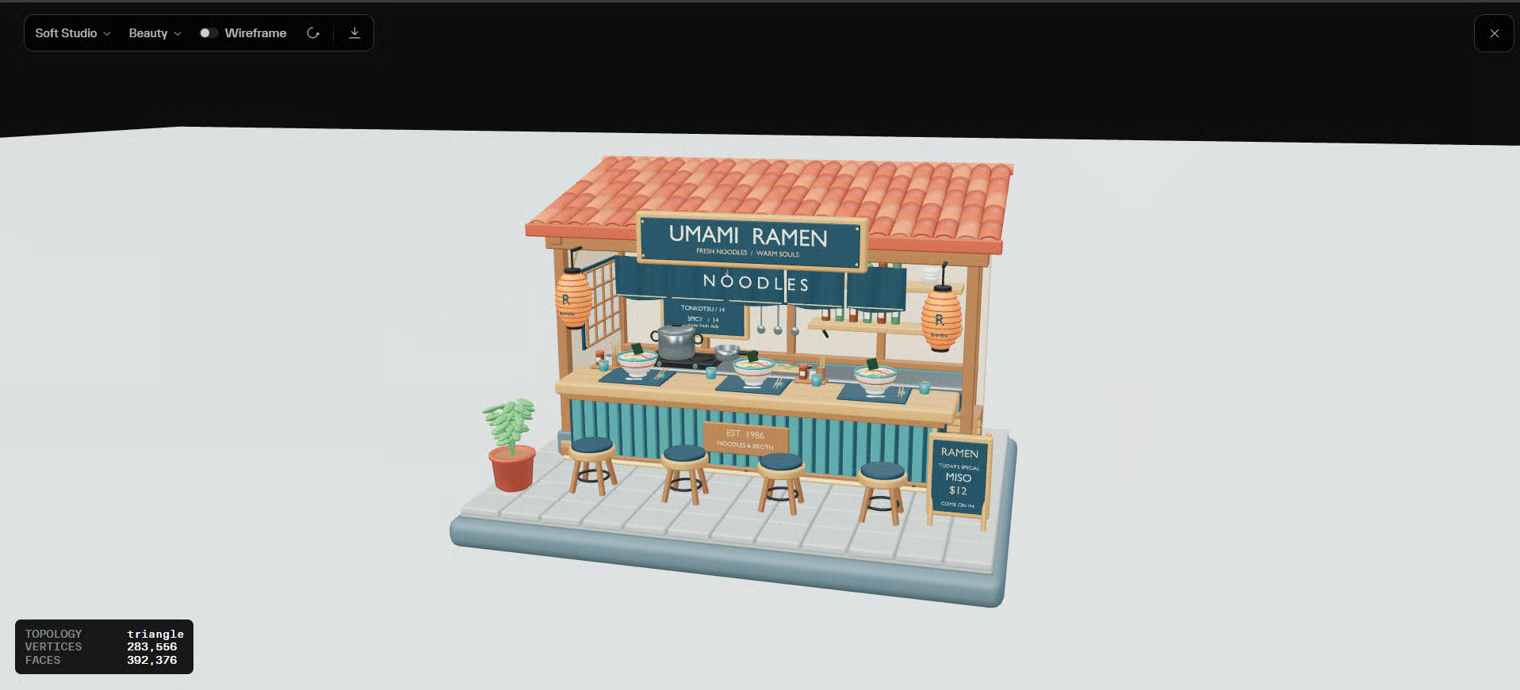
* Outputs an editable Blender scene alongside a saved conversation, with optional GLB export.
* Accepts scene state and conversation history as independent inputs, allowing an edit to continue by reusing both.
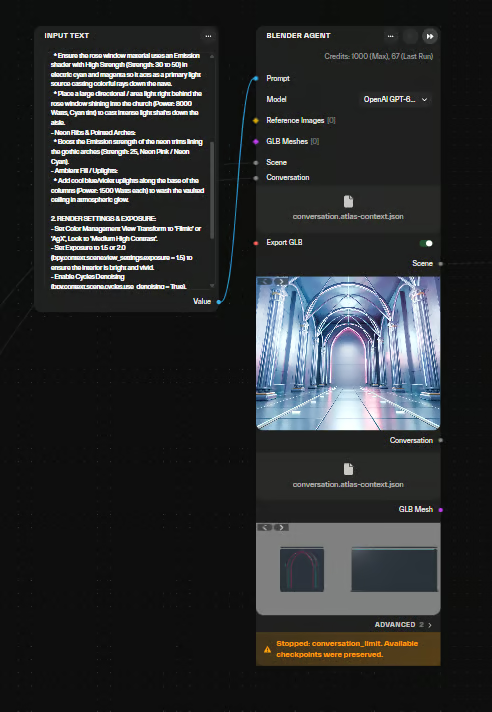
* Returns useful completed scene checkpoints if a configured limit interrupts the run.
* Supports configurable credit and runtime limits that bound the work performed.
* Accepts a mesh-list input, enabling multiple meshes to be supplied together and selected by description.
* Prompt input is bounded by an 8,000-character limit.
### Blender Scene to GLB
The **Blender Scene to GLB** node converts a Blender scene into a **GLB mesh file**.
* Takes a **Blender scene input** and exports it as a single GLB asset.
* Outputs a **GLB file** containing the scene geometry, ready for downstream mesh nodes or engine import.
* Preserves scene contents in a portable, self-contained mesh format.
* Use this node to bridge Blender-authored content into GLB-based pipelines.
**Useful for:** exporting assembled or hand-authored Blender scenes into a game-ready GLB for asset import, further mesh processing, or scene composition.
* Accepts a saved or uploaded `.blend` scene as input.
* GLB export does not bake procedural materials or preserve every Blender feature; retain the source `.blend` file for the complete scene.
### Render Blender Scene
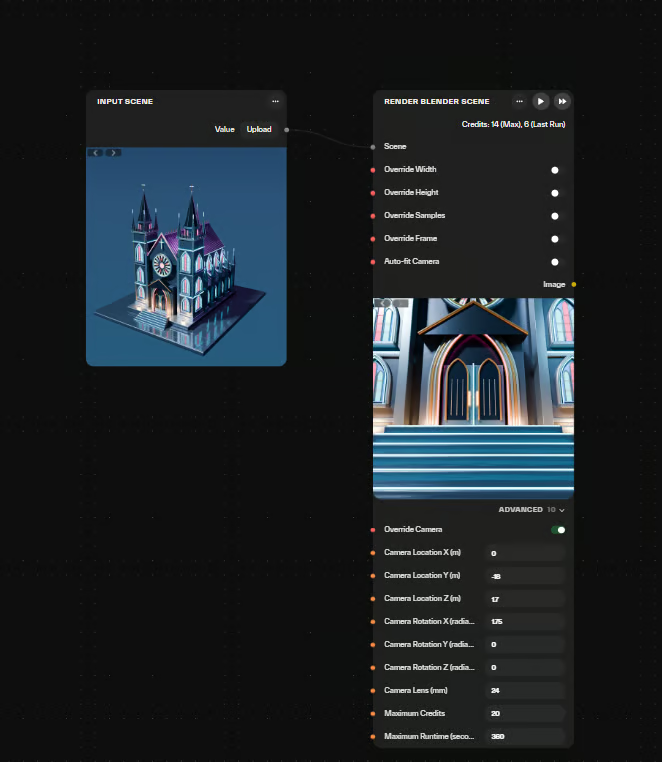
The **Render Blender Scene** node renders a Blender scene to an output image.
* Takes a **Blender scene** as input and produces a rendered **image output**.
* Outputs a single frame suitable for downstream image nodes or asset pipelines.
* Preserves the scene's configured cameras, lighting, and materials during render.
* Use to generate consistent 2D renders from 3D layouts without leaving the graph.
**Useful for:** producing marketing shots, key art, and reference renders from assembled scenes, or generating consistent asset previews for prototyping.
* Produces a PNG image output.
* Uses the scene's saved camera, render dimensions, sample count, and frame by default.
* Width, height, samples, frame, and camera can each be overridden independently.
* An optional Auto-fit Camera option frames the scene automatically.
* Uploaded or generated `.blend` files gain rendered previews.
---
# Agent Instructions
This documentation is published with GitBook. GitBook is the documentation platform designed so that both humans and AI agents can read, navigate, and reason over technical content effectively. Learn more at gitbook.com.
## Querying This Documentation
If you need additional information that is not directly available in this page, you can query the documentation by asking a question.
Perform an HTTP GET request on the following URL with the `ask` and `goal` query parameters:
```
GET https://docs.atlas.design/atlas-ai-studio-overview/node-index/mesh-nodes/scene-nodes.md?ask=&goal=
```
`ask` is the immediate question: it should be specific, self-contained, and written in natural language.
`goal` is what the user is ultimately trying to achieve, the reason they need the answer. Sharing it helps GitBook give you a better, more relevant answer. A goal is most helpful when it describes the outcome the user wants rather than restating the question. For example, with `ask=how do I create an API token`, a goal like `automate deployments from our CI pipeline` lets GitBook tailor the answer to that use case.
The response will contain a direct answer to the question and relevant excerpts and sources from the documentation.
Use this mechanism when the answer is not explicitly present in the current page, you need clarification or additional context, or you want to retrieve related documentation sections.